
The BeneMoney platform includes access to the Pay Deduction Report, which provides a full view of employee loan activity for a selected payroll date.
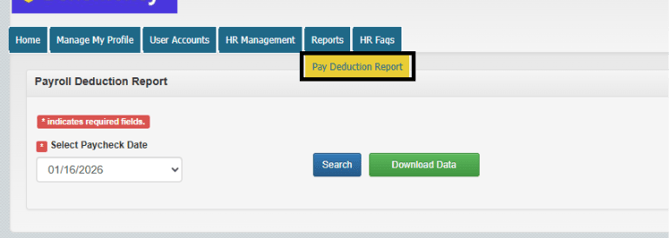
Pay Deduction Report Overview
The Pay Deduction Report shows all loan records tied to a specific payroll cycle, including:
- New Loans – deductions that need to begin
- Stop Loans – deductions that need to end
- Active Loans – ongoing deductions that must continue
This report is essentially a fuller view of the PDI file, giving you a complete snapshot of loan activity for the pay period you select.
How It’s Used
Payroll and HR teams typically use this report to:
- Review all BeneMoney loan deductions for a specific payroll date
- Confirm NEW, STOP, and ongoing deductions
- Ensure accurate payroll processing and reconciliation